Recall what matters
Walk in feeling prepared.
My People helps you show up thoughtfully for the people you care about. Whether you are heading to a school event, meeting coworkers for lunch, or calling an old friend, it helps you recall the details that make conversations more personal. Rather than deciding what every relationship should include, My People lets you define what matters. Designed around neurodivergent needs and welcoming to everyone, it adapts to your life—not the other way around—and keeps everything private on your device.
Every relationship is different.
Most apps decide what information belongs in a contact. My People does not. Whether it is a favorite coffee order, a child’s soccer team, a D&D campaign, a birding club, or a reminder to ask about next week’s surgery, you decide what matters—and My People helps you recall it when the moment comes.
Private by design
Everything stays on your device.
Built for every brain
Accessibility core to the design.
Flexible by design
You decide what matters.
Show Up Prepared
You are heading into lunch with coworkers, a school fundraiser, or coffee with an old friend. Before you walk in, take a minute to review the people you will be seeing and the details that matter most. My People brings together Conversation Prep, calendar matching (a brilliant feature suggested by my 12-year-old son!), and flexible groups so you can spend less time trying to remember—and more time being present.
Conversation Prep
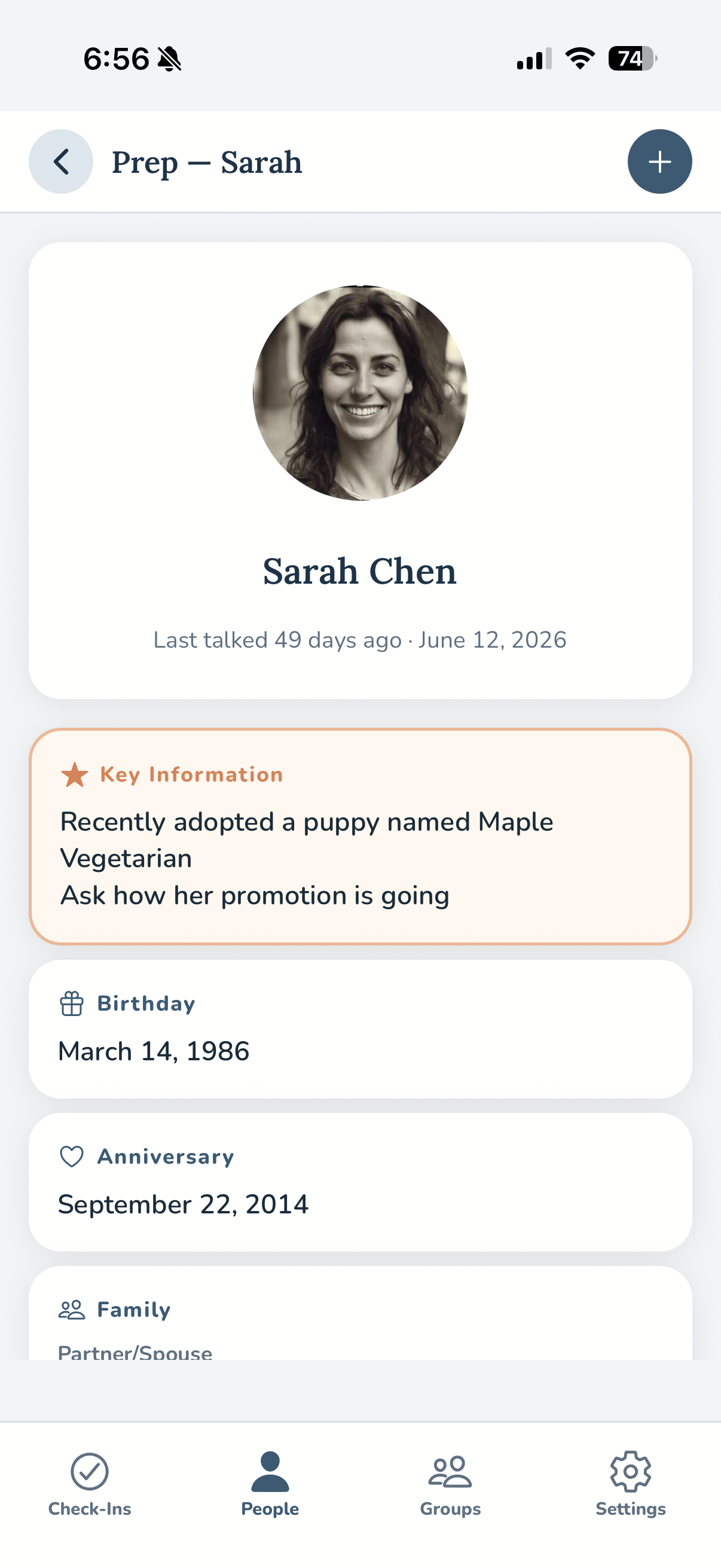
Before a call, meeting, or visit, open Conversation Prep for a one-screen summary of the person you are about to see. You decide what belongs there, so the information that is most helpful is always front and center.
Key Information
Some details deserve to stand out. Key Information highlights what is most important at the top of every profile and Conversation Prep screen. Simply begin any note with an asterisk (*) and it automatically appears there.
Groups & Subgroups
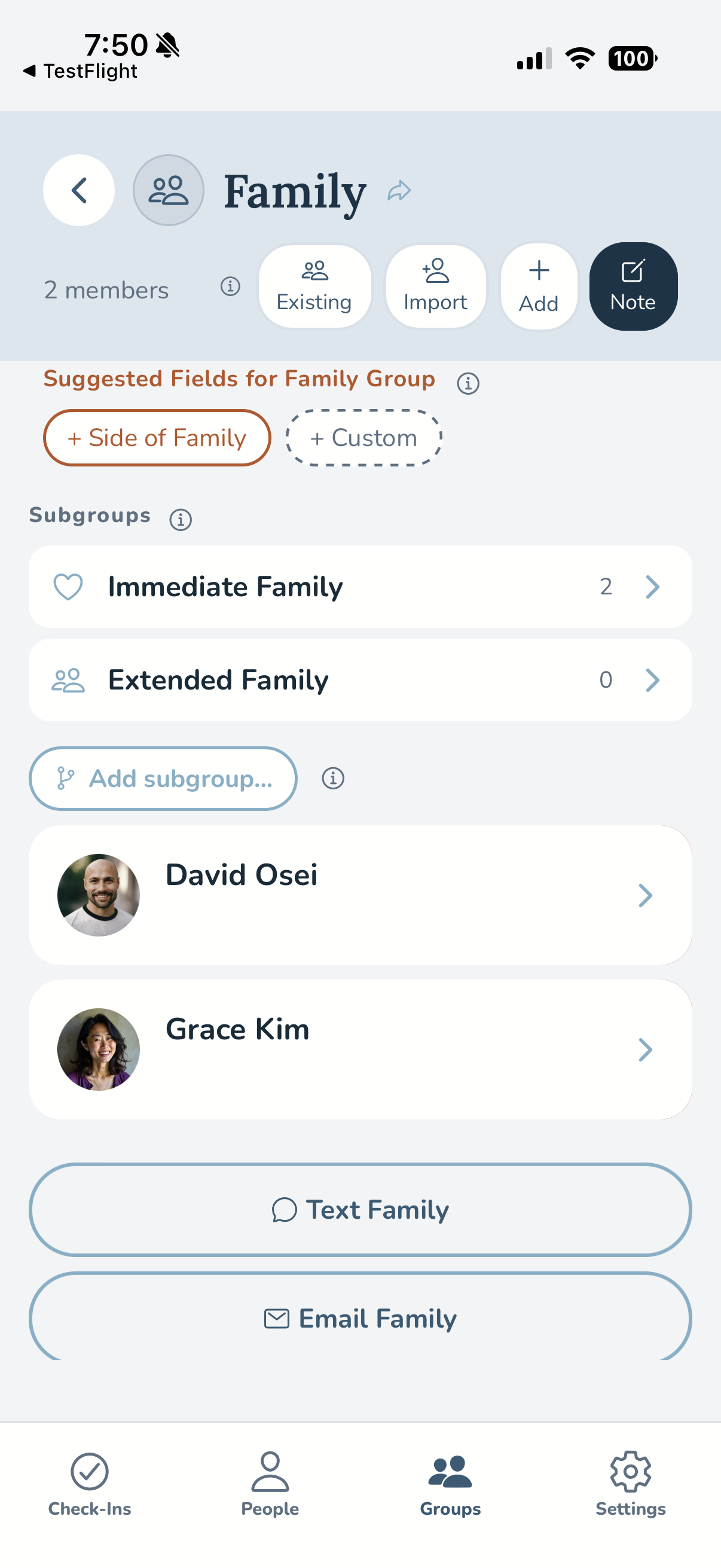
Organize people in whatever way makes sense to you—family, coworkers, clubs, volunteer groups, or anything else. Create subgroups, customize fields, adjust visibility, and reorganize everything as your life changes.
Temporary Groups
Planning a vacation, wedding, conference, or school event? Create a temporary group to keep everyone together while you need it. When the event is over, My People asks whether you would like to dissolve it, extend it, or make it permanent.
Event Matching
Connect your calendar and My People automatically matches event attendees to your contacts using meeting titles and invitation emails. If something is not matched correctly, you can link or unlink people yourself—and My People remembers your choice for next time.
Event Reminders
Gentle reminders help you stay prepared without becoming another source of notification overload. Receive optional alerts before events, a morning summary on busy days, or an end-of-day reminder to capture anything worth remembering. Everything is easy to turn on, off, or customize.
You Decide What Is Worth Remembering
No two relationships are the same, so why should every contact look alike? Maybe you want to remember a coworker’s coffee order, your nephew’s favorite dinosaurs, your daughter’s soccer schedule, a friend’s D&D campaign, or favorite plants in your garden club. My People does not decide what is important—you do. Create custom fields for a single person, an entire group, or everyone, so the app adapts to your life instead of asking you to adapt to it.
Custom Fields
Remember whatever matters to you. Create custom fields for one person, an entire group, or every contact. Detect Info can recognize many things that belong in one of your fields and file them automatically.
Field Settings
Arrange fields in the order that makes sense to you and choose exactly what appears on contact cards and the Conversation Prep screen. The information you reach for most is always where you expect it.
Recall What Matters When You Need It
The moments that strengthen relationships are often the easiest to forget. A neighbor mentions an upcoming surgery. A friend starts a new job. Someone tells you they will be traveling next month. My People helps you capture those moments in seconds, then gently reminds you when it is time to follow up—so good intentions become meaningful actions.
Note Logging
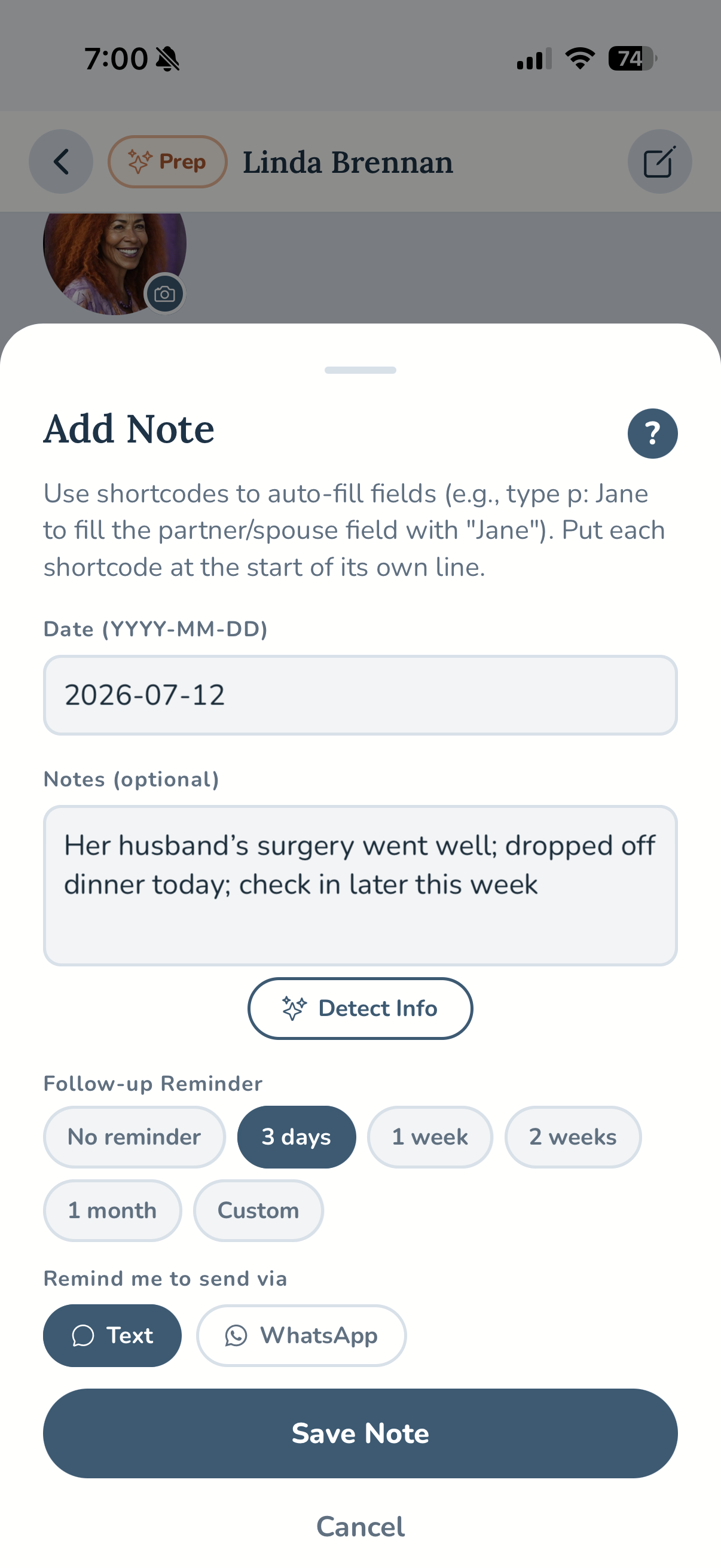
Capture conversations while they are still fresh. Add notes after a call, visit, or chance encounter, then set an optional reminder so you remember to follow up when the time is right.
Group & Event Notes
After a family gathering, work meeting, or community event, record one shared note for everyone who attended, then add personal details for individual people. Save time without losing what makes each relationship unique.
Flexible Birthdays
Not every birthday comes with a full date. Save whatever you know today—even just the month—and update it later. Reminders automatically adapt as you add more information.
Check-In Reminders
Some relationships thrive with regular check-ins. Choose how often you would like to reconnect, and My People quietly keeps track. Every time you log an interaction, the countdown resets automatically.
Push Notifications
Receive optional reminders for birthdays, anniversaries, custom dates, and regular check-ins. You stay in control by choosing which notifications you receive and which groups they apply to.
Reduce the Social Guesswork
Remembering to reach out is only part of staying connected. Sometimes the harder part is knowing what to say, when to follow up, or even what kinds of details are worth remembering. My People helps reduce that social guesswork with customizable message templates, thoughtful reminder suggestions, and ideas you can adapt to fit your own relationships.
Message Templates
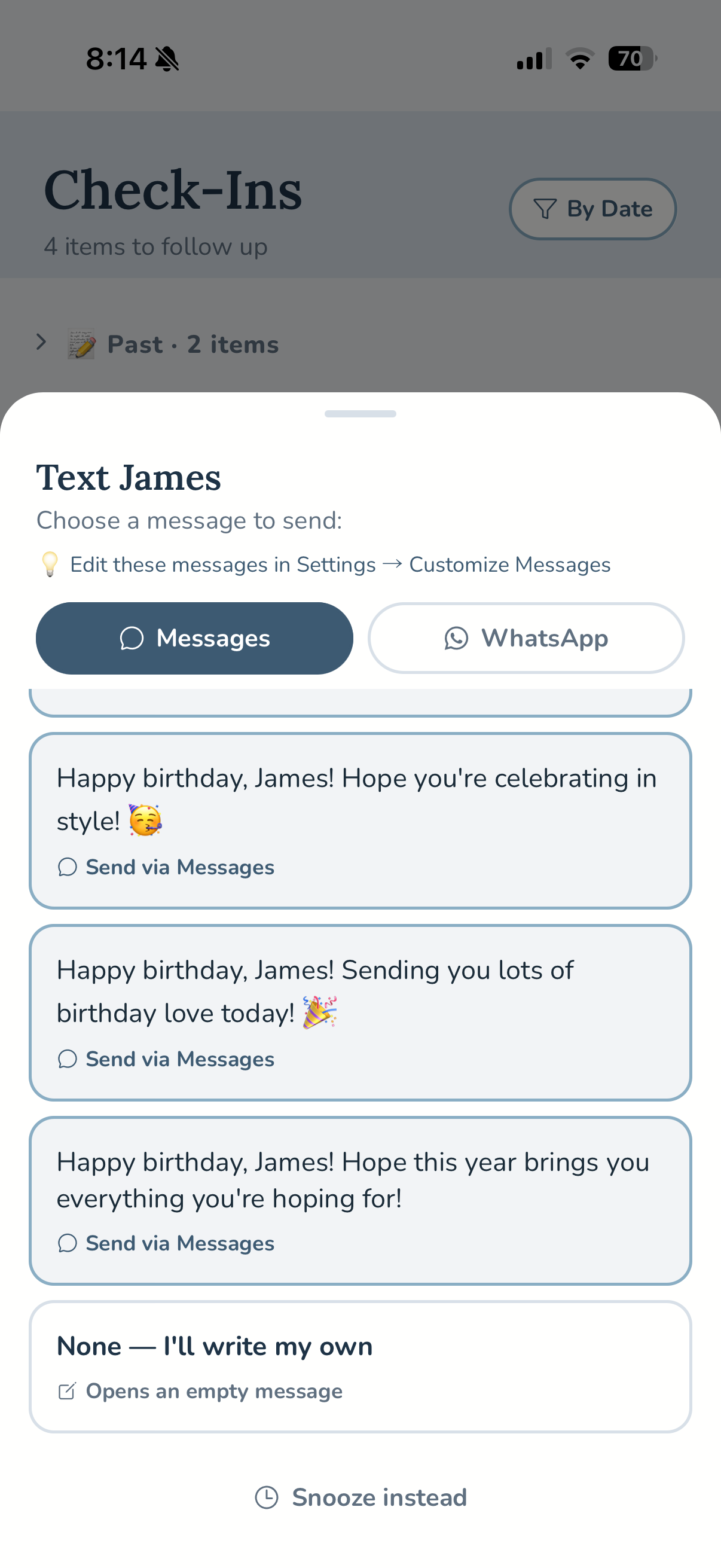
Birthday wishes, anniversary messages, and regular check-ins do not have to start from scratch. Customize the built-in templates—or rewrite them completely—to sound like you. They are not there to replace genuine care; they are there to help you get past the blank page.
Smart Reminder Presets
Instead of choosing an arbitrary number of days, start with the relationship. A close family member might deserve a weekly reminder, while an old coworker may only need a check-in every few months. You can always adjust the schedule to fit your life.
Field Suggestions
Need inspiration? My People suggests fields based on the people and groups you are organizing—“currently reading” for a book club to “carpool days” for parents or “favorite trail” for hiking friends. Use the suggestions, ignore them, or make your own.
Add Details in Seconds
Keeping track of the people in your life should not feel like another project. My People helps you capture information naturally as life happens—whether you are sharing a text, jotting down a quick note, or adding a detail during a conversation. Small helpers throughout the app reduce busywork, so it is easier to build a people file that grows with you over time.
Simple Mode
Everyone starts somewhere. Simple Mode introduces My People one step at a time with optional note prompts, streamlined setup, relationship-based reminder suggestions, and a guided onboarding experience that begins with the people who matter to you most.
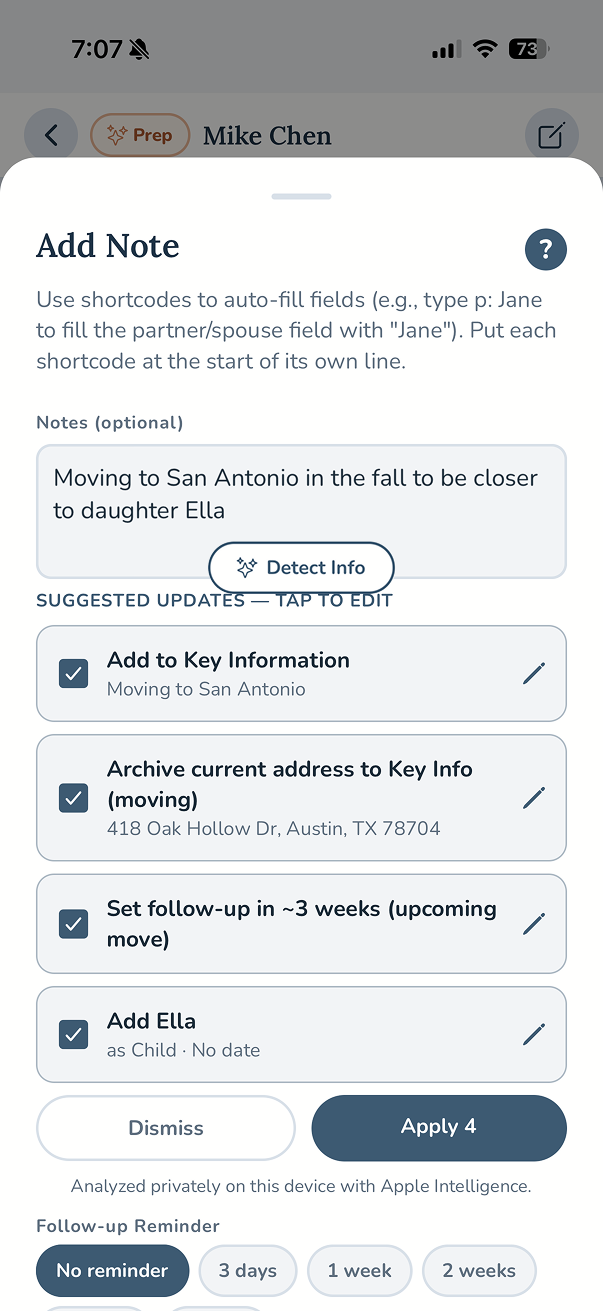
Detect Info
Paste or type a note, then let Detect Info do the first pass. It recognizes birthdays, family members, jobs, moves, and more, suggesting updates for your approval. Nothing is ever added automatically—you stay in control.
Shortcodes
Quick shortcuts make repetitive updates effortless. Type simple prefixes like c: for children or p: for partner, and My People fills in the right fields automatically. Your own custom fields get shortcuts too.
Send to My People
Already reading a text or email? Share it directly to My People. The app suggests who the note might belong to, identifies possible profile updates, and helps you save everything without interrupting what you are doing.
Linked Family
Family relationships naturally connect to one another. Link spouses, children, and other relatives so shared information—like birthdays and household details—can be copied between profiles with a tap.
Stay in Sync with Your Phone
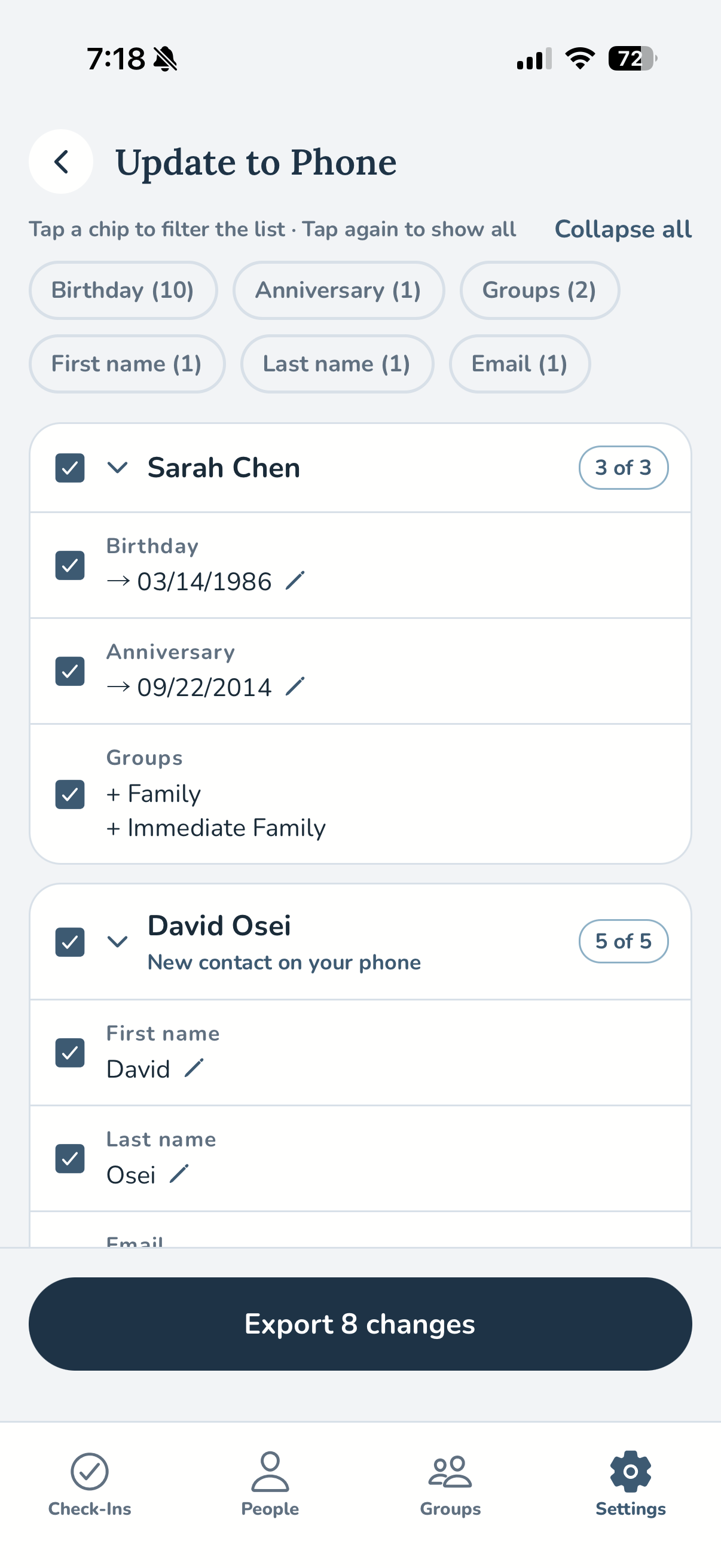
Your phone contacts and My People work better together. Import your existing contacts, keep changes synchronized in either direction, and review every update before it is applied. Your information stays consistent without giving up control.
Import from Phone
Bring your existing contacts into My People with a single tap. Phone numbers are placed into the correct fields automatically, and custom fields can be imported in the way that makes the most sense for you—apply them to everyone, keep them only where they already exist, or skip them entirely.
Phone Contacts Sync
Keep My People and your phone contacts synchronized in either direction. Every proposed change is shown for your review first, and nothing is ever written without your approval.
What syncs—and what stays in My People
Most contact information syncs both ways, including names, phone numbers, email addresses, postal addresses, birthdays, anniversaries, job details, and family relationships.
Your notes, Conversation Prep, Key Information, check-in schedules, reminders, and other My People features stay in My People. They aren’t written back to your phone contacts, helping keep personal relationship details separate from your standard address book.
Support Every Brain
Accessibility is the reason this app exists. My People was designed around the everyday challenges that can make relationships harder to manage—whether that is remembering important details, knowing what to say, following through on good intentions, or simply feeling overwhelmed by too much information. From customizable reminders to full screen-reader support, every feature is designed to reduce friction while giving you complete control. When an app is built for accessibility from the beginning, it becomes easier for everyone to use.
Accessibility Features
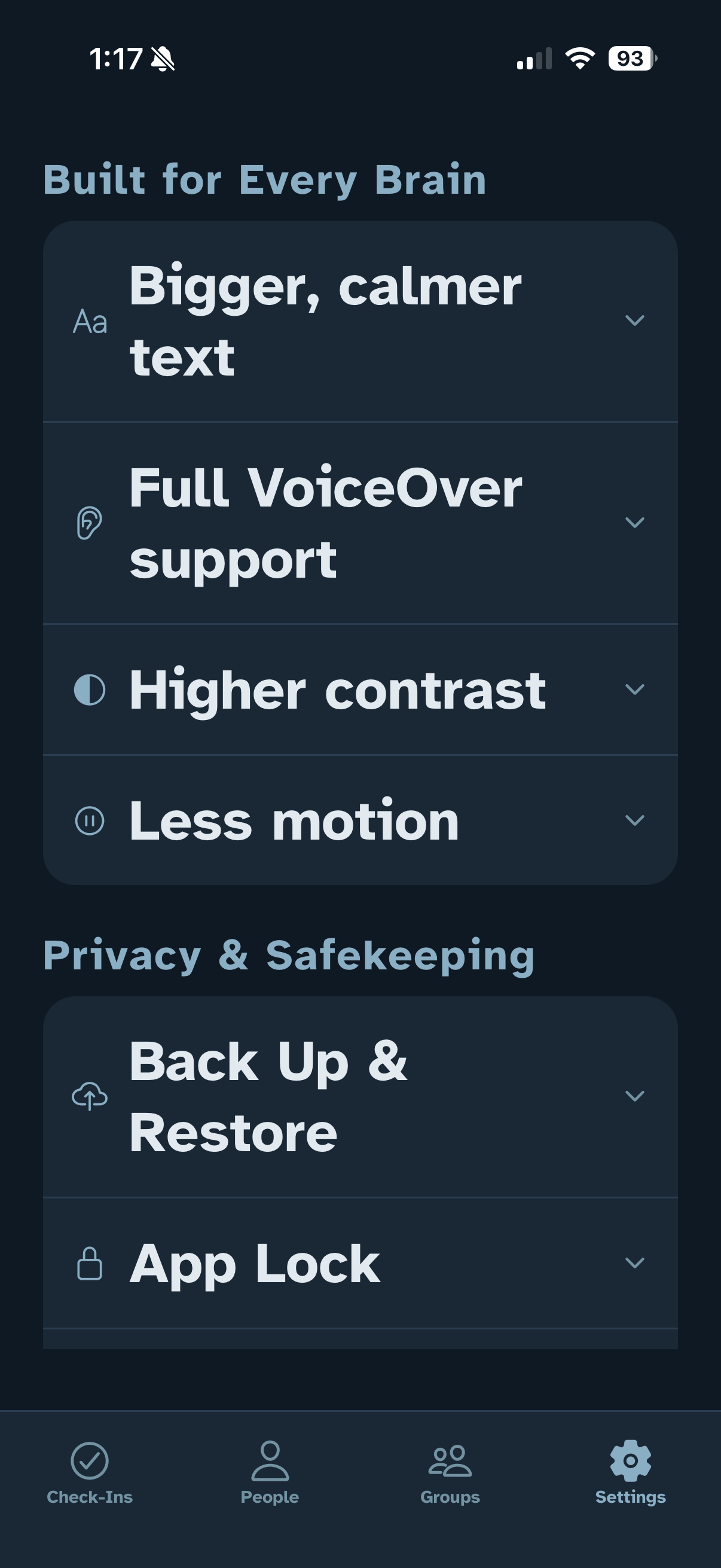
Accessibility is not one setting—it is a collection of thoughtful choices. My People supports Dynamic Type, the Atkinson Hyperlegible font, VoiceOver, TalkBack, higher contrast, reduced motion, and more. Every accessibility feature is optional, so you can tailor the experience to the way your brain works best.
App accessibility is not just about helping people use software. It is about helping people participate more fully in the parts of life that matter most.
Keep Your People Private, On-Device
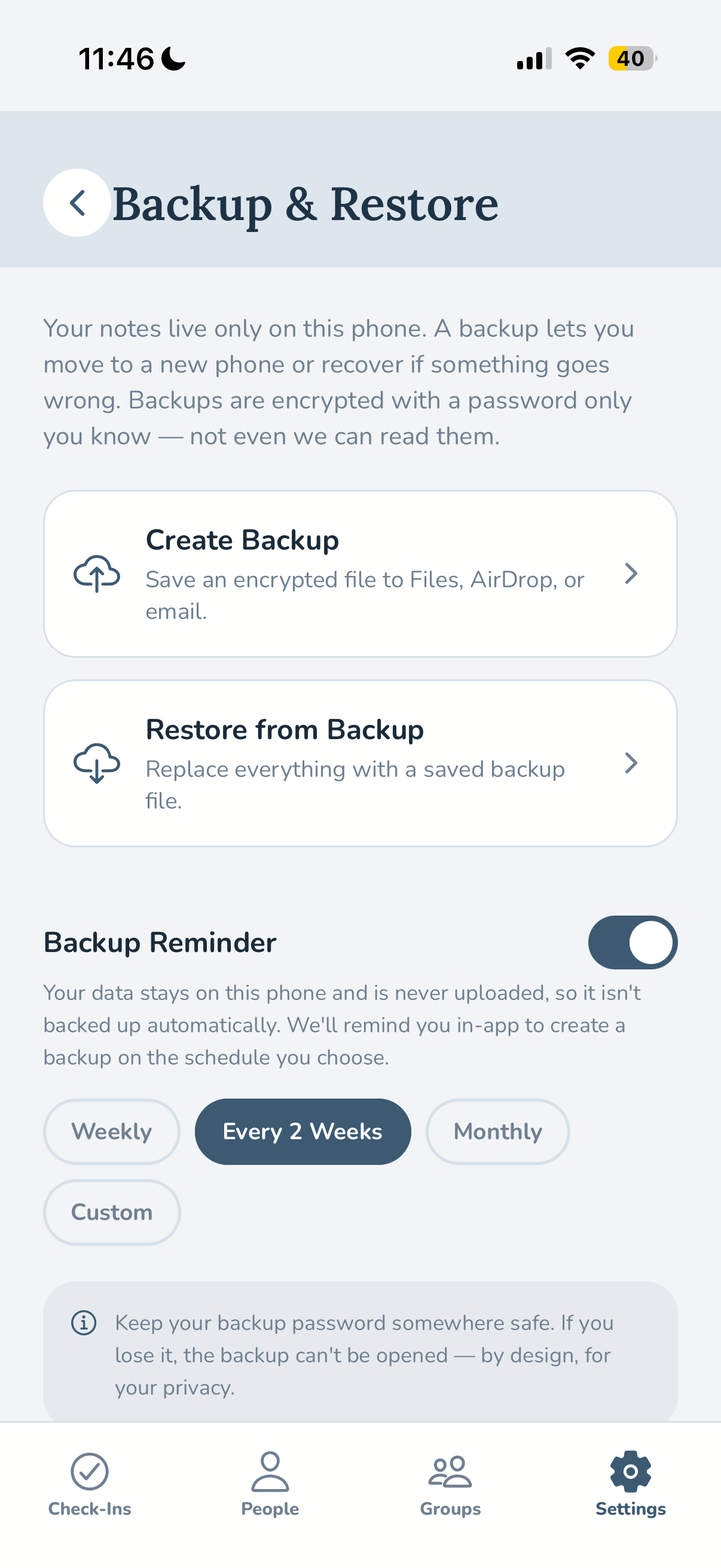
The people you care about deserve the same privacy as your conversations with them. That is why My People keeps your relationship data on your device. There are no accounts to create, no tracking, and nothing stored on our servers. Even backups stay under your control, protected with encryption and a password that only you know.
Private On-Device Analysis
When My People analyzes your notes to suggest updates, everything happens directly on your device. Your information never leaves your phone—no servers, no cloud processing, no exceptions.
Back Up & Restore
Create encrypted backups protected by a password only you know and save them wherever you trust—Files, AirDrop, email, or another destination of your choice. Optional reminders help you remember to create new backups. You can choose to turn on automatic backups that save to your iCloud Drive or chosen folder.
App Lock
Protect My People with Face ID, Touch ID, or your device’s biometric authentication. The app can automatically lock after it has been in the background, helping keep your relationship information private.
Trash
Accidents happen. Deleted contacts move to Trash, where they can be restored for up to 30 days before they are permanently removed.
Free for everyone
A completely free app.
My People has no download fee, no subscriptions, no in-app purchases, and no ads. I built it this way because I want the people who need it most to be able to use it without barriers. The goal has always been simple: help more people show up for the people they care about.